

Perception Lighting SRX Series 6.5" LED Single Row Osram LED
Make 4 payments of $17.49 over 8 weeks with

Pre Order - Arrival 23 Nov


Starlink Mini wireless on/off switch
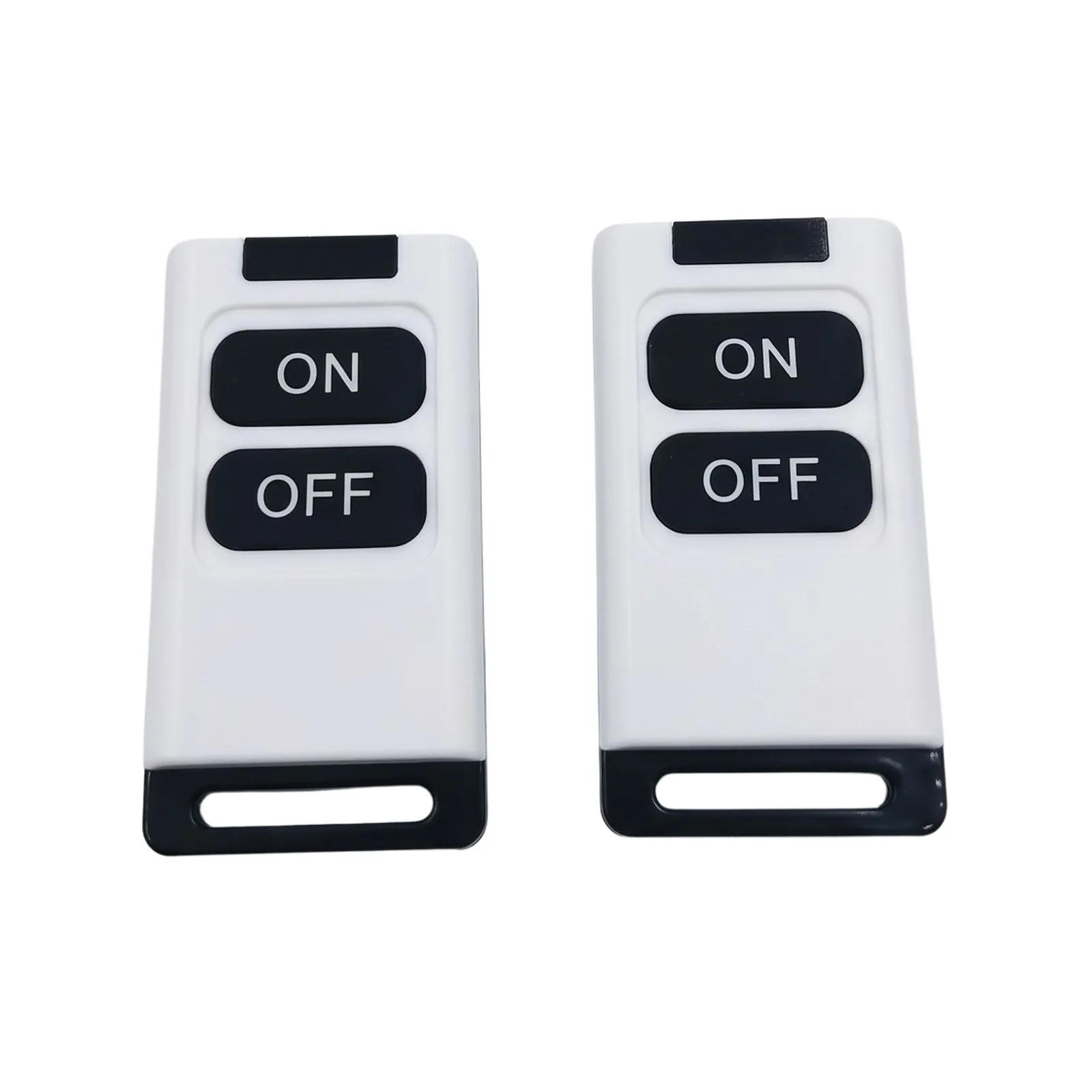
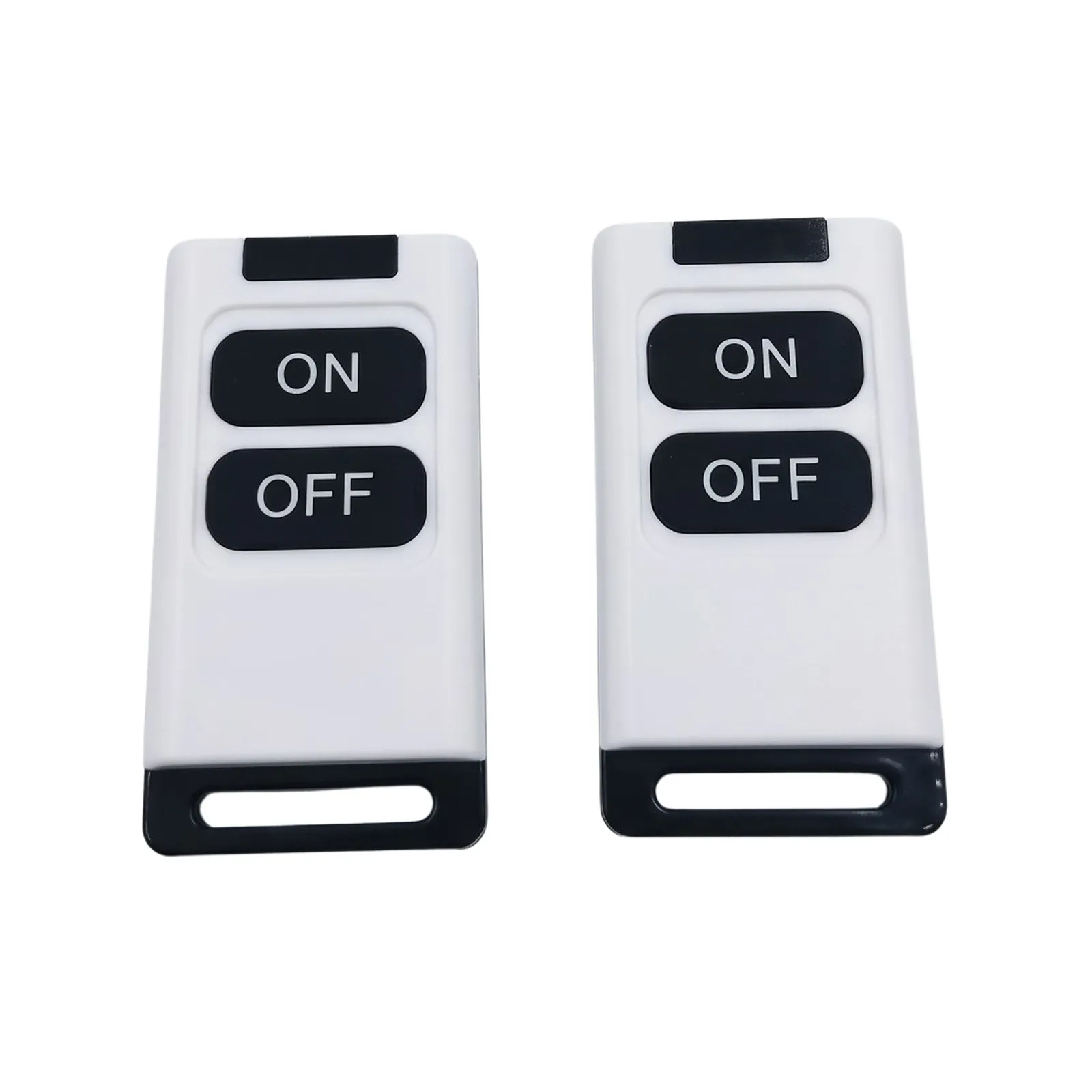
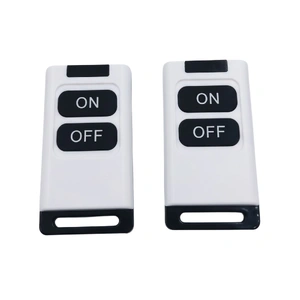
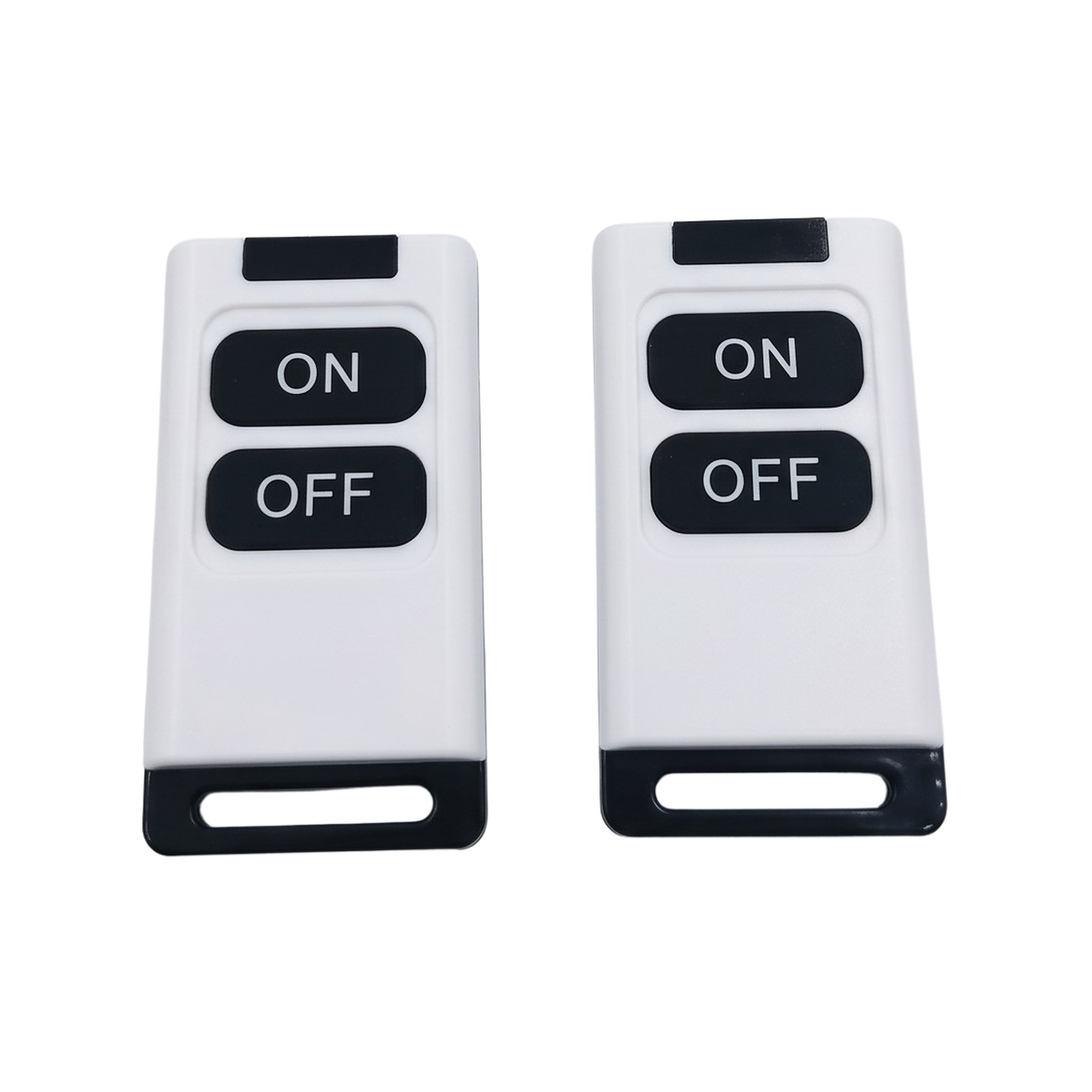
Switch your Starlink Mini on and off from inside the van, tent or cab. This inline switch sits in the Mini’s DC power lead and comes with two key-fob remotes, so you never have to climb onto the roof or dig behind a panel to unplug it.
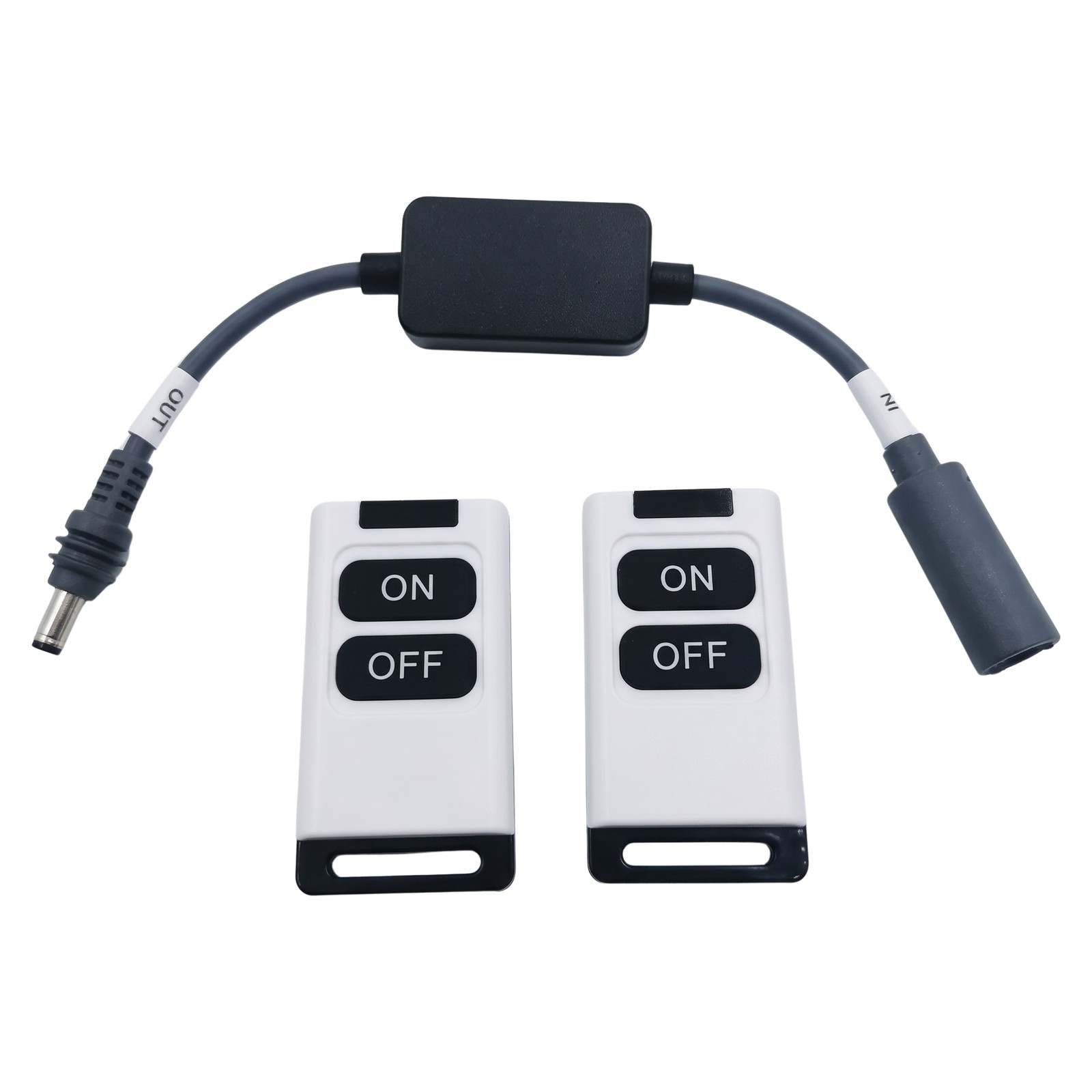
Made for the
Lying in the rooftop tent or the caravan and done for the night? Press OFF and the Starlink Mini stops drawing from your battery until morning. The Mini doesn’t use a huge amount of power, but switching it off overnight leaves more in the battery for the fridge and lights.
It’s made for mounted setups where the Mini’s plug is hard to reach: on a roof rack, a canopy, a caravan roof or behind a panel. The receiver sits in the power lead, and the remote does the rest.
Pick your plug layout
Both versions are the same switch with the same two remotes. The only difference is which end has the plug and which has the socket. Choose the one that matches where it goes in your setup.
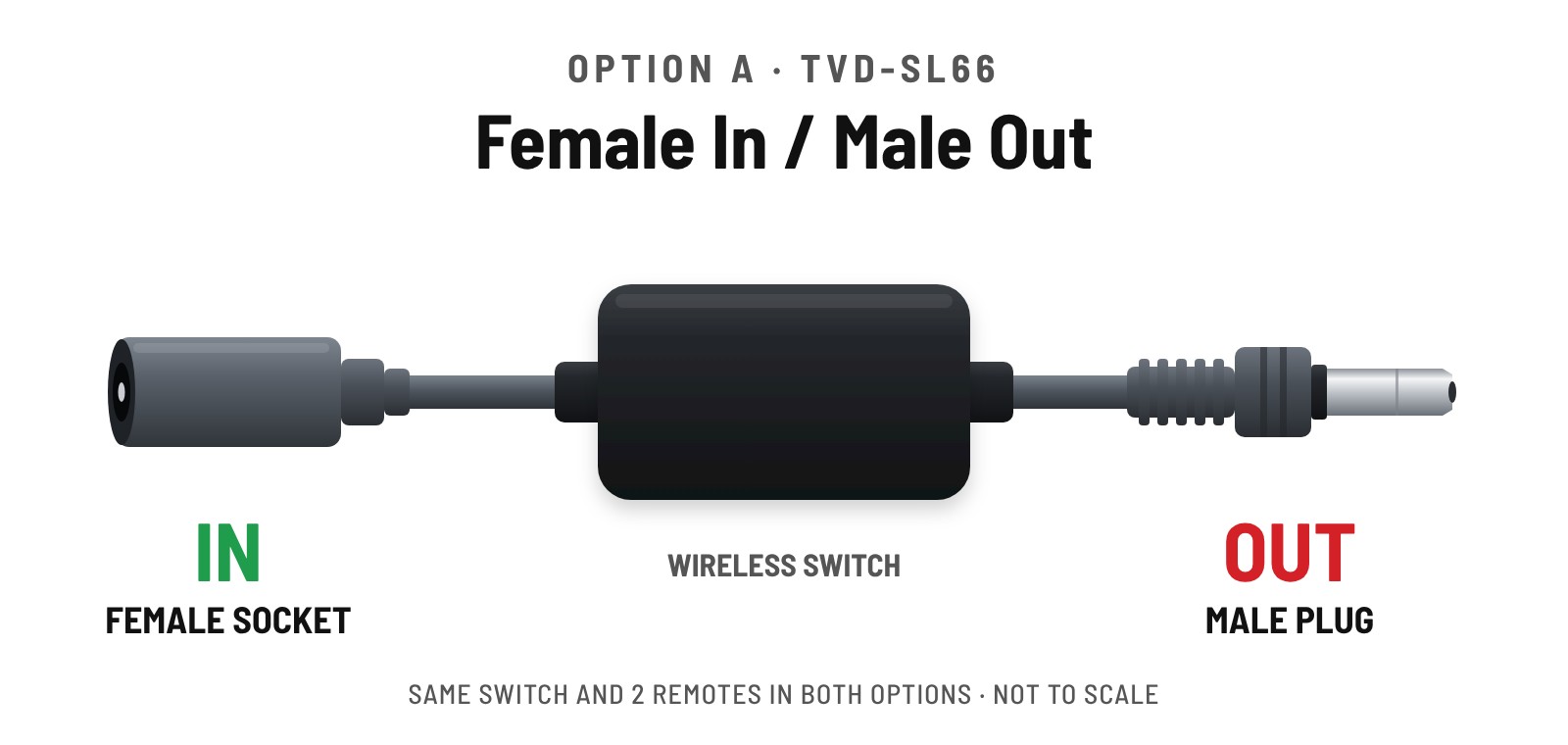
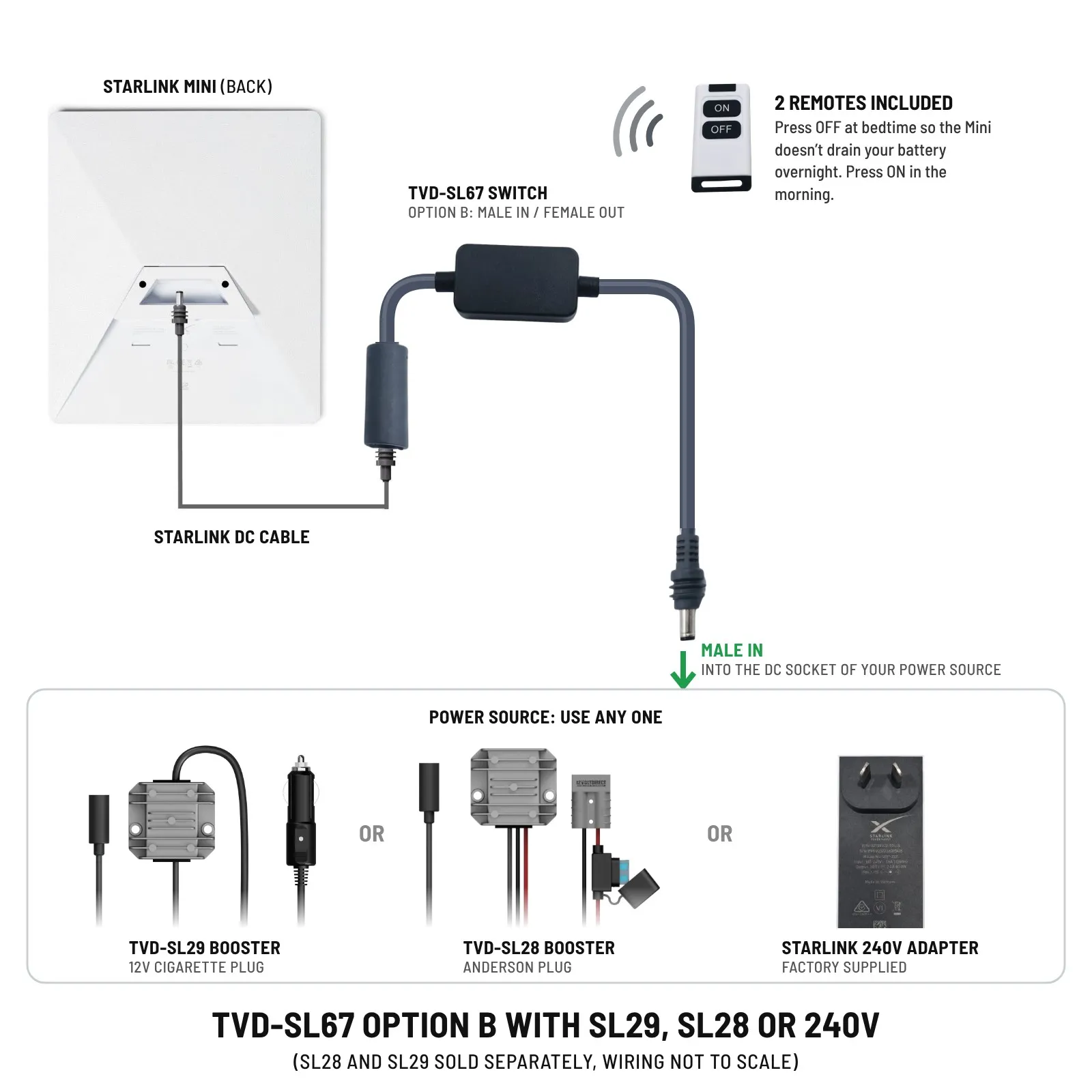
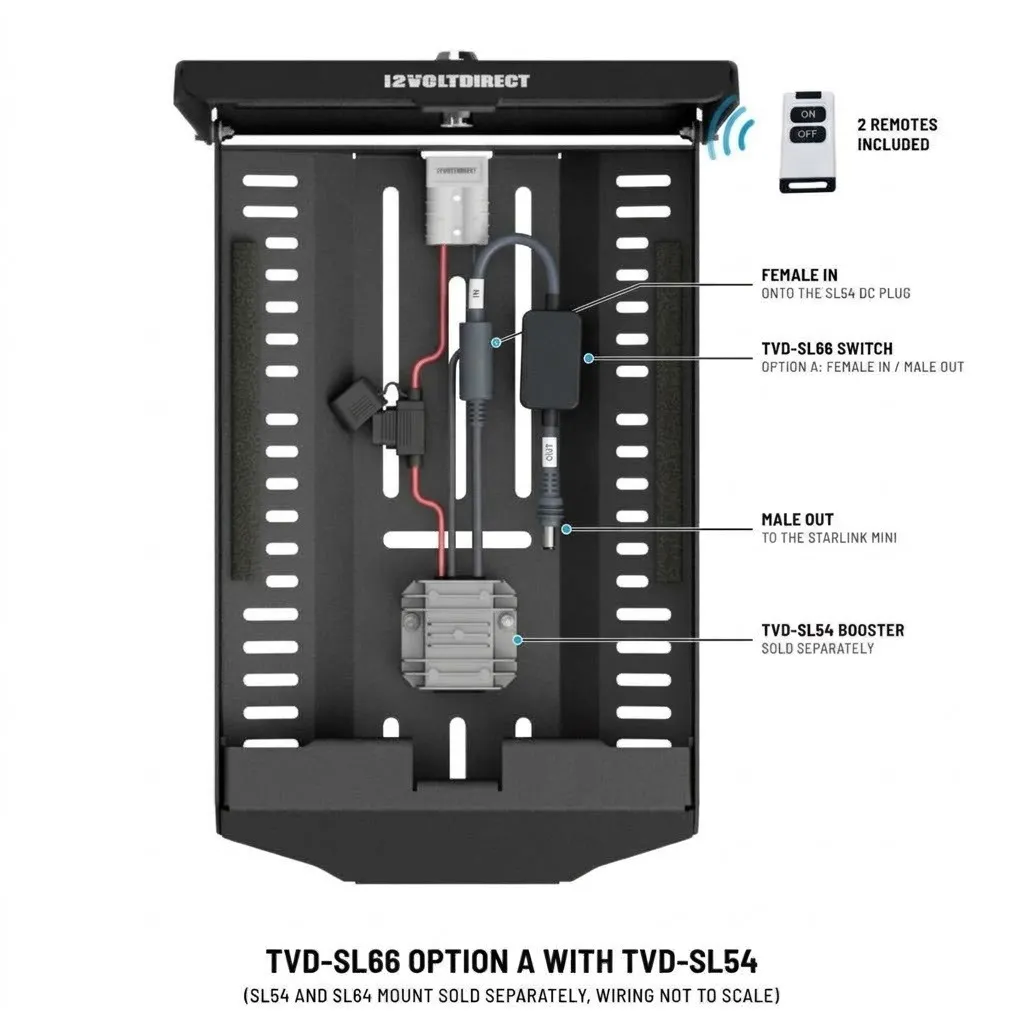
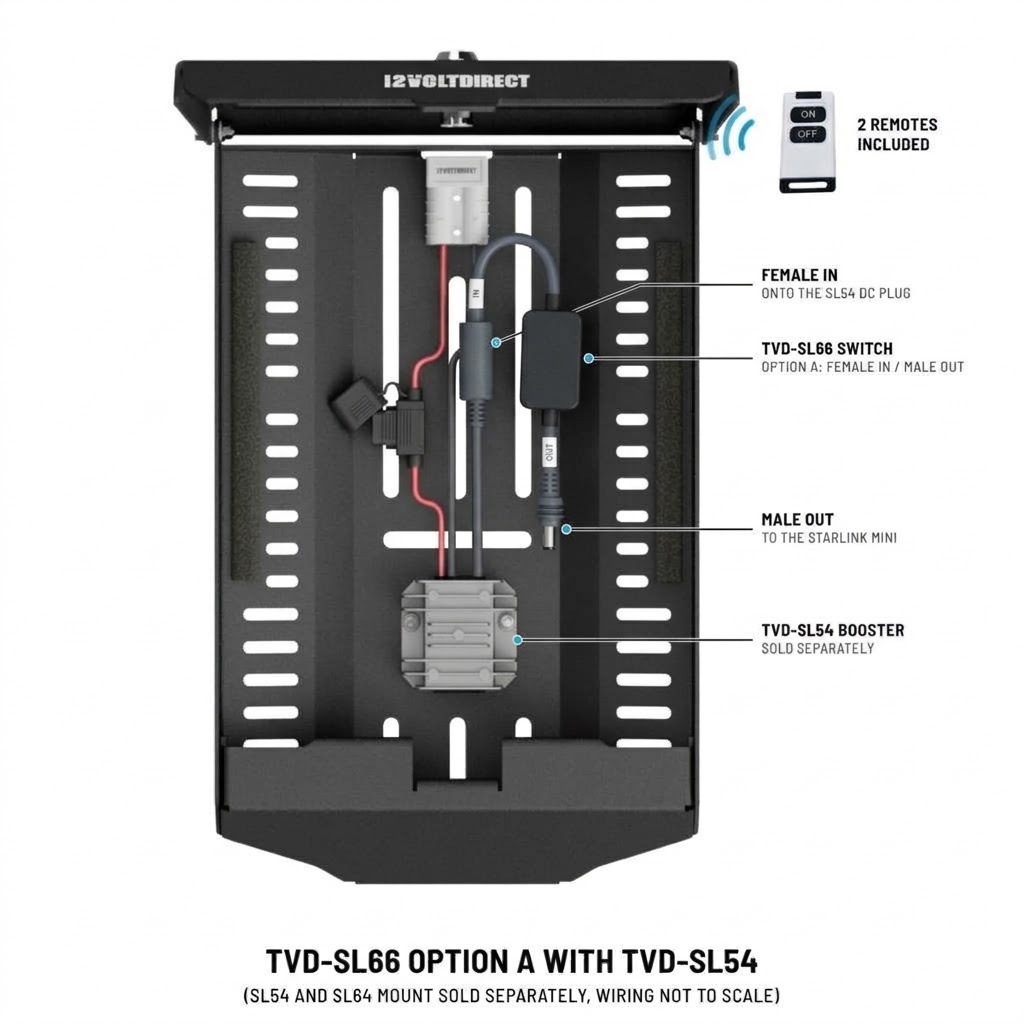
OPTION A
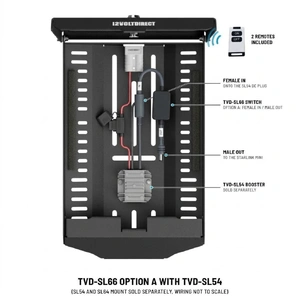
Female In / Male Out
Goes in the roof mount with our SL54 booster. The SL54 plugs into the socket end, and the plug end goes straight into the Starlink Mini.
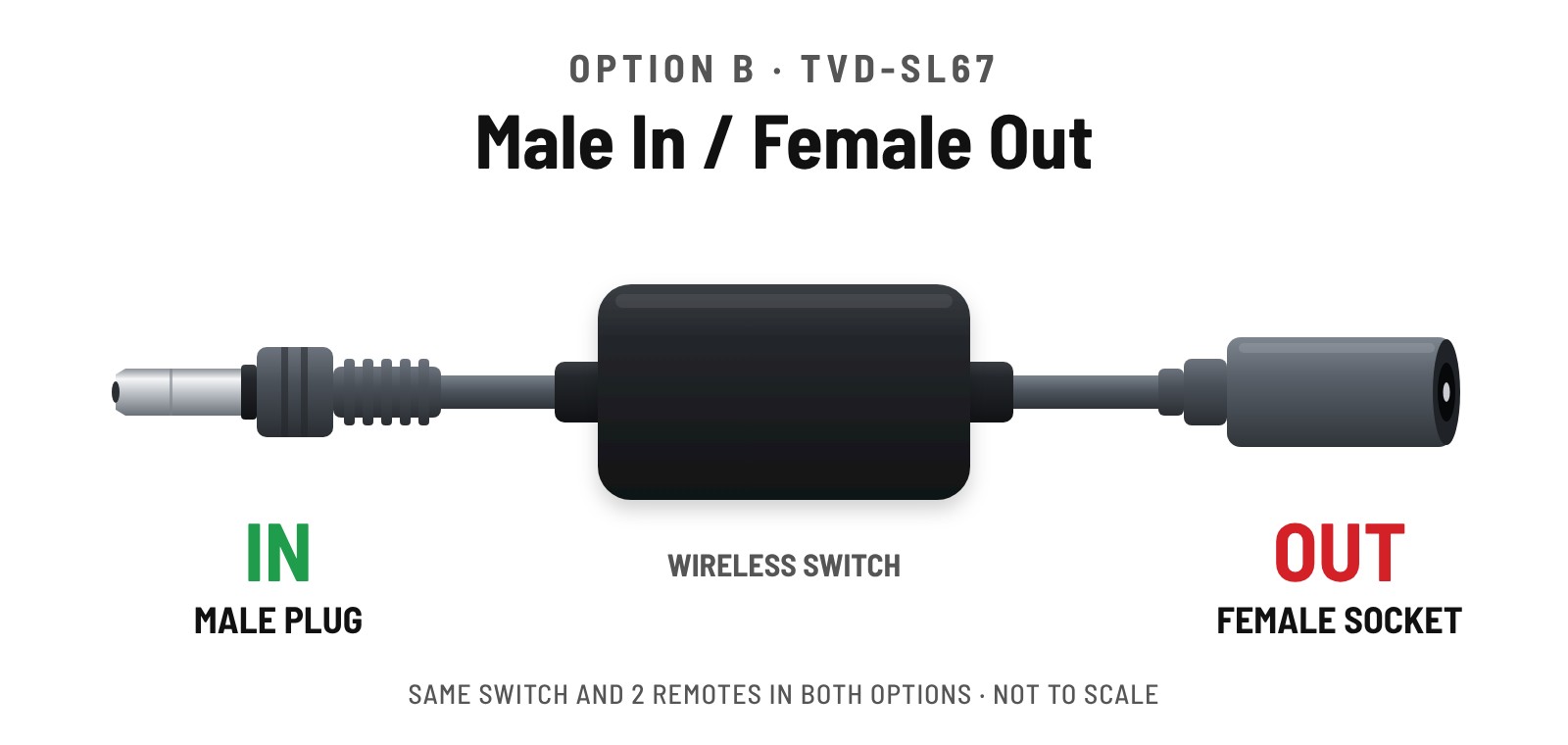
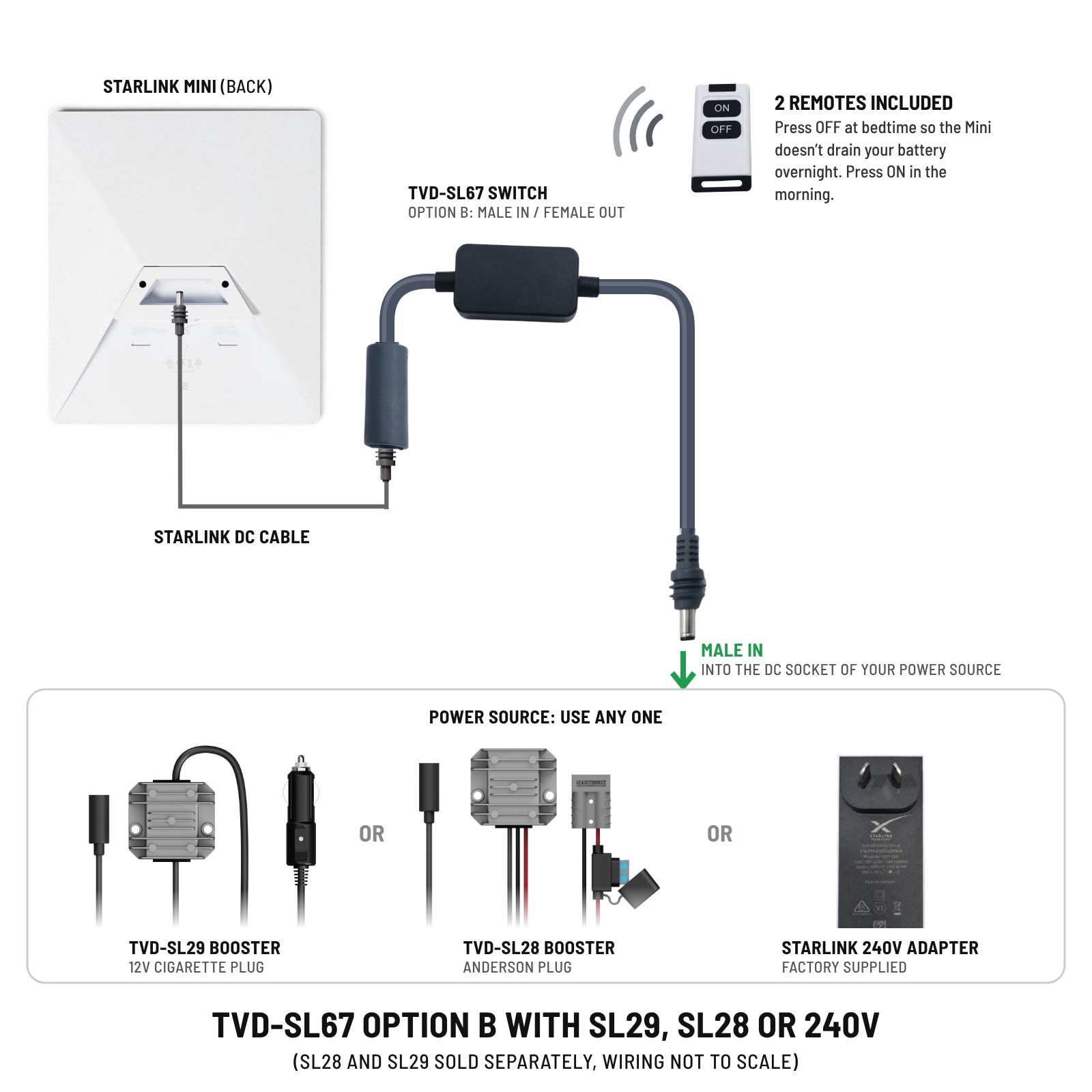
OPTION B
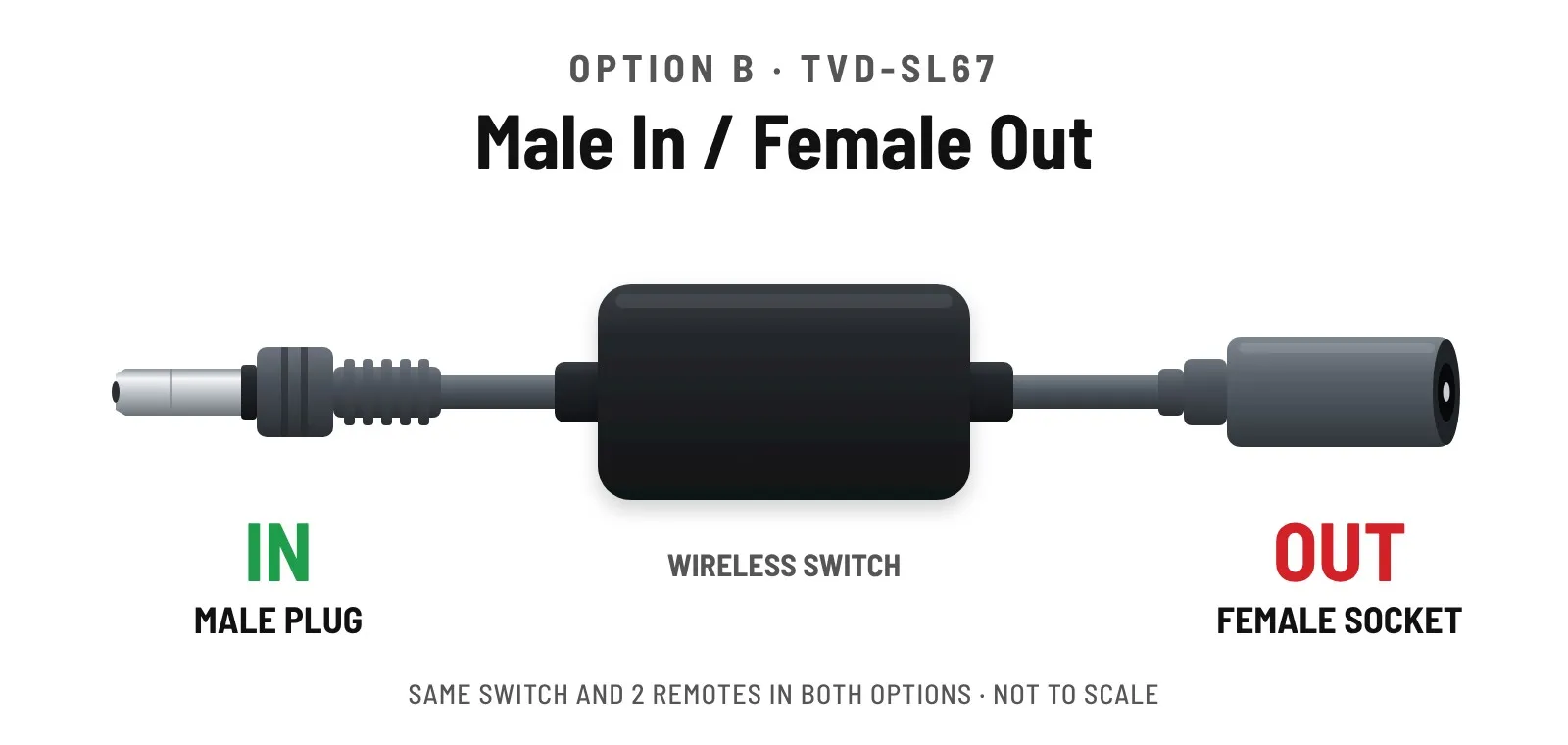
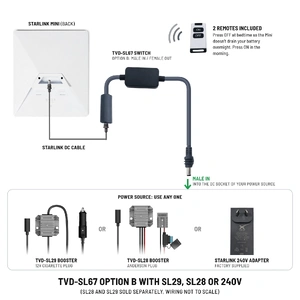
Male In / Female Out
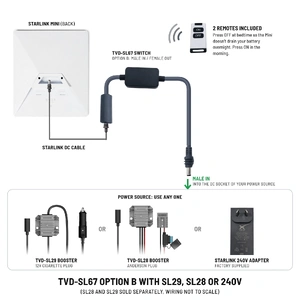
Goes at the power supply end, after an SL28 or SL29 booster or a 240 V power supply. The plug end goes into the supply’s socket, and the Mini’s cable plugs into the socket end.
Not suitable for:
| Suits | Starlink Mini |
| Plug Layout | Option A: Female In / Male Out Option B: Male In / Female Out |
| Connection | Inline, in the Mini’s DC power lead |
| Control | 2 x wireless remotes with ON and OFF buttons |
| Warranty | 12 months |
| Brand | 12 Volt Direct |
1 x Wireless on/off switch (inline receiver with IN and OUT leads)
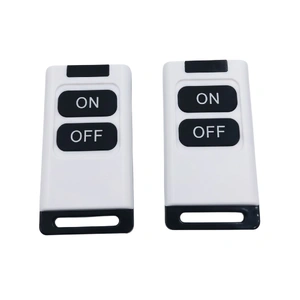
2 x Wireless remotes
Starlink Mini, booster and power supply are not included.
Simple installation
No tools, no wiring and no pairing to set up.
Disconnect the Starlink Mini’s DC lead at the end you chose: the mount (Option A) or the power supply (Option B).
Connect the IN end to your booster or supply, and the OUT end towards the Starlink Mini. The leads are labelled.
Press ON on either remote to power the Mini up, and OFF to shut it down.
Check the plug layout before you order
Using the SL54 booster in a roof mount? Choose Option A. Running from an SL28, SL29 or a 240 V supply? Choose Option B. If your setup is different, ask us first.
Not sure? Contact our team| SKU | TVD-SL-SWITCH |
| Brand | 12 Volt Direct |
| Shipping Weight | 0.1500kg |
| Shipping Width | 0.150m |
| Shipping Height | 0.050m |
| Shipping Length | 0.200m |
Make 4 payments of $17.49 over 8 weeks with
Make 4 payments of $3.74 over 8 weeks with
Make 4 payments of $6.24 over 8 weeks with

Make 4 payments of $9.99 over 8 weeks with



This item is currently on back order and may require additional processing time.
This is a non-stocked item and may require additional processing time. Please click here for more information.